A Practical Guide to Automating Repetitive Tasks with Zapier and AI: In-Depth Review of AI Trends and Productivity Tools
If you're a professional or small business owner worn out by repetitive tasks, you already know how powerful task automation can be for boosting productivity. With the recent surge in AI-powered automation, platforms that combine artificial intelligence with workflow automation have become essential for maximizing efficiency. In this post, we'll take a deep dive into the popular and practical tool 'Zapier'—exploring how it can serve as both an AI agent and an automation platform, and providing a hands-on guide from initial setup to real-world applications.
Whether you're brand new to automation or looking to level up, you'll find step-by-step installation instructions, key features, and real-life use cases. If you want to experience tangible productivity gains in the age of AI trends and digital transformation, read on to the end.
What is Zapier?
Zapier is a productivity tool that connects hundreds of web applications without any coding, automating repetitive tasks across your workflow. By linking apps like email, Google Sheets, CRM systems, and marketing tools using a 'trigger' and 'action' model, you can automate a wide range of business processes.
When Zapier handles routine tasks like data entry, email sending, or notifications, you save significant time and energy. When combined with AI agents, Zapier can support smarter conditional logic and data processing, letting you experience firsthand the productivity revolution of digital transformation.
> Zapier isn't just about simple automation—it can also integrate with AI-powered analytics tools and generative AI, making it especially attractive to users who want to stay ahead of AI trends.
How to Sign Up and Install Zapier
Here's a step-by-step guide so even beginners can get started in under five minutes.
Go to the official Zapier homepage.
Click 'Sign Up' at the top right corner.
Enter your email address and password, or sign up easily using your Google, Microsoft, or Facebook account.
Click the link in the verification email sent to your inbox to activate your account.
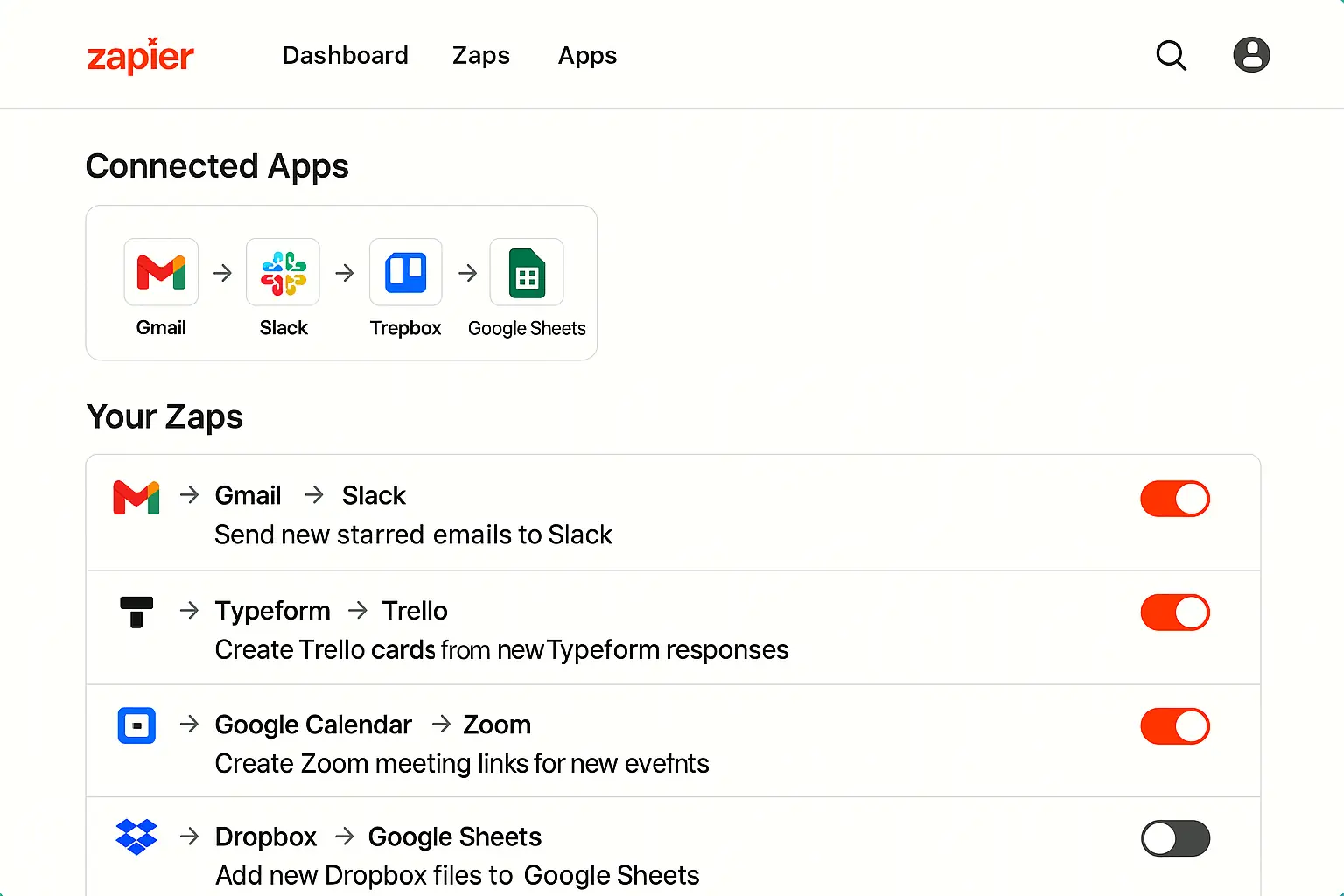
After logging in, click the 'Make a Zap' button on the main dashboard to start your first automation.
Choose the apps you want to integrate (such as Gmail, Google Sheets, Slack, etc.) and connect your accounts.
> Tip: Start by connecting just your Google account for testing, then gradually expand your automation as you get comfortable.
Key Features of Zapier and Real-World Examples
Creating a Zap (Setting Up Automated Workflows)
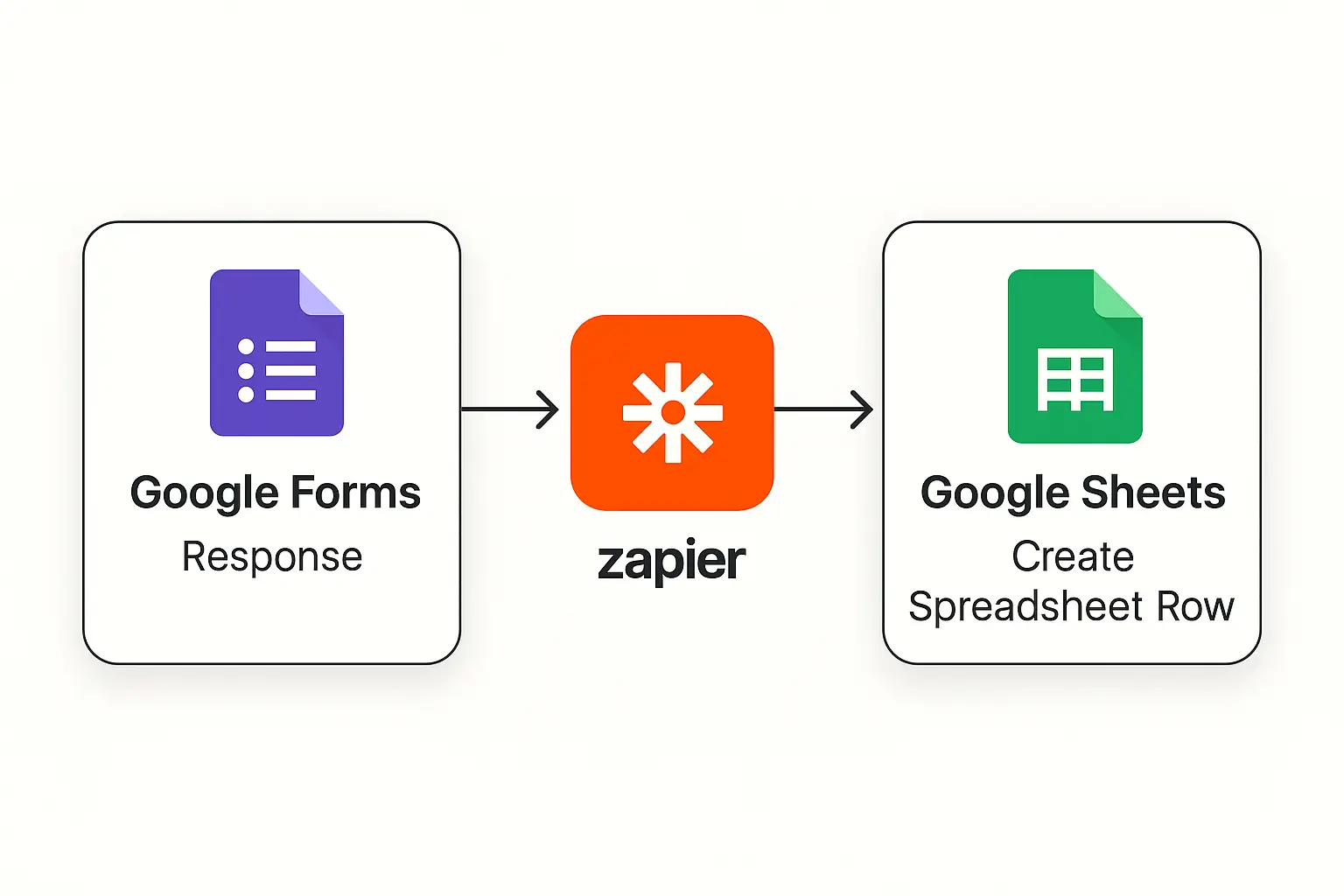
A 'Zap' in Zapier is a single automated workflow. For example, you can create a Zap that automatically saves responses from a Google Form into a Google Sheet.
Setting Triggers and Actions
A 'trigger' is the event that starts your automation, while an 'action' is what happens next. Triggers can include receiving an email, registering a new customer, or getting a message containing a specific keyword.
Using Templates
Zapier offers hundreds of automation templates, so you can set up workflows quickly. There are templates tailored to different business needs, making it easy for beginners to get started.
Multi-Step Automation
With multi-step Zaps, you can automate complex workflows involving several tasks at once.
Integrating with AI Tools
Zapier can connect with OpenAI, GPT-4, and other AI analytics tools to automatically classify or summarize data, or even automate generative AI tasks.
Real-World Scenario: Botonglee's Automated Workflow Routine
By using Zapier, we've significantly reduced the time spent on marketing and customer management tasks. Here are some of the most effective ways we've put it to use:
When someone subscribes to the newsletter on our website, Zapier automatically adds their information to our CRM and sends a welcome email. This streamlined subscriber management without any manual intervention.
Every time a new blog post is published, a Zap shares it automatically to Twitter, Facebook, and LinkedIn, saving over 80% of the time previously spent copying and pasting links.
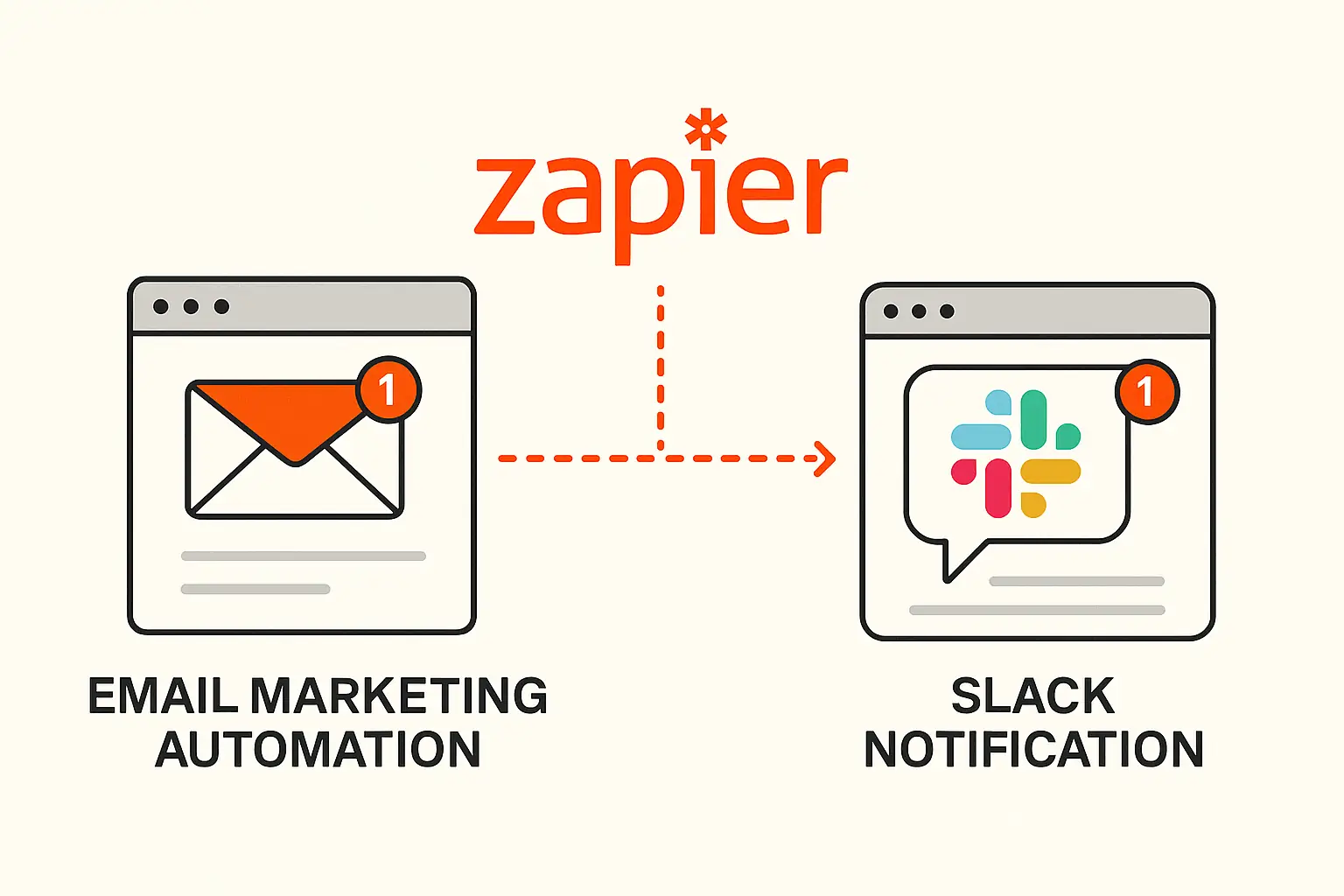
Incoming customer emails are analyzed by an AI tool integrated with Zapier, categorized by urgency and type, and then sent to the relevant Slack channel. This allows for real-time response to urgent issues and has improved customer satisfaction.
Payment records are automatically logged in Google Sheets and synced with our accounting software, greatly reducing the time spent on financial management. This frees up time for more strategic tasks rather than repetitive ones.
> Tip: When used alongside generative AI tools, you can go beyond basic automation and build a true 'smart work agent.' For more advanced AI automation examples, check out the Suno AI Music Generator Review.
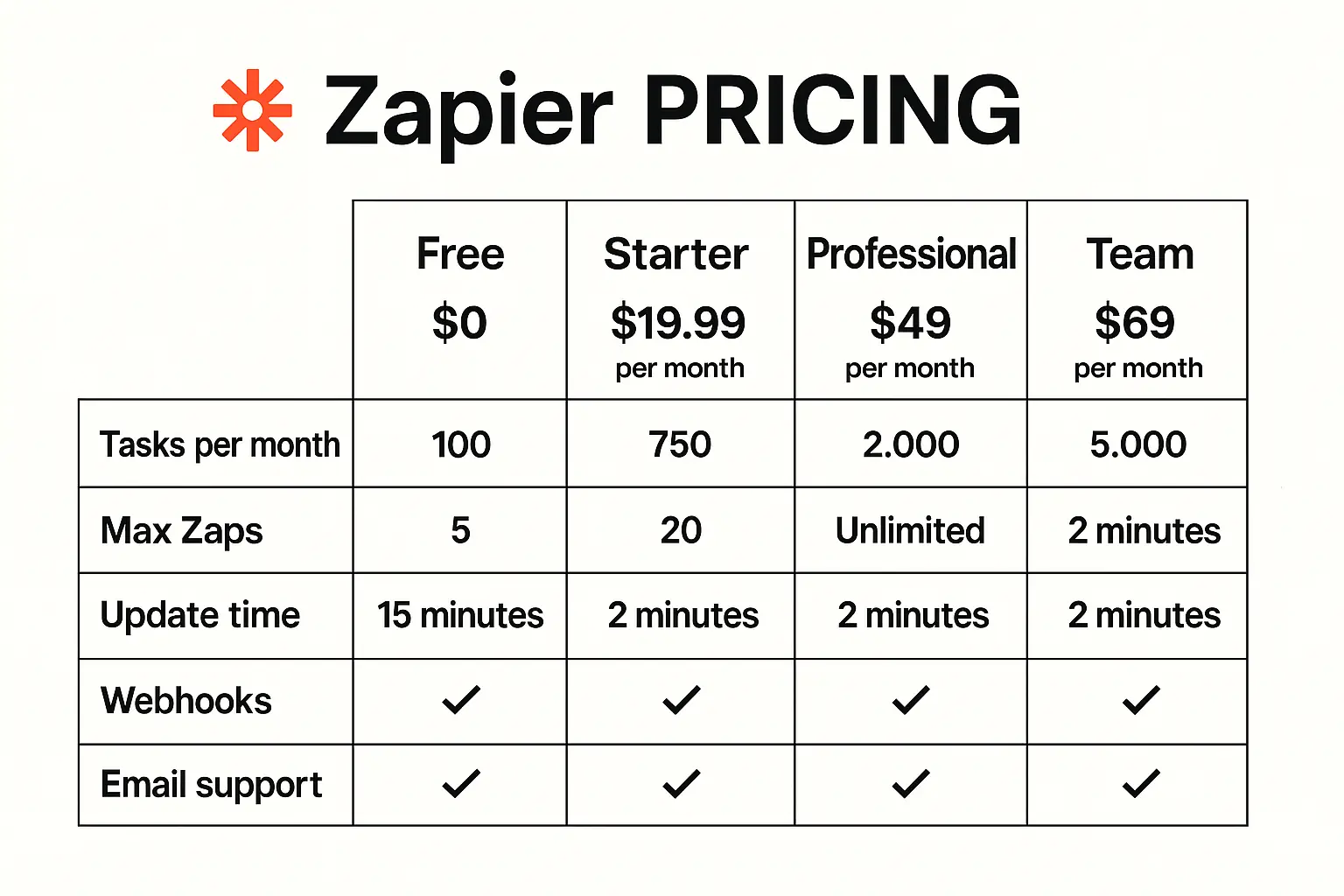
Zapier Pricing Plans
Free Plan
Paid Plans
The free plan is sufficient for simple automations, but as your workflows become more complex or your volume increases, you'll likely need to upgrade. For AI integrations or multi-step Zaps, the Professional plan or higher is recommended.
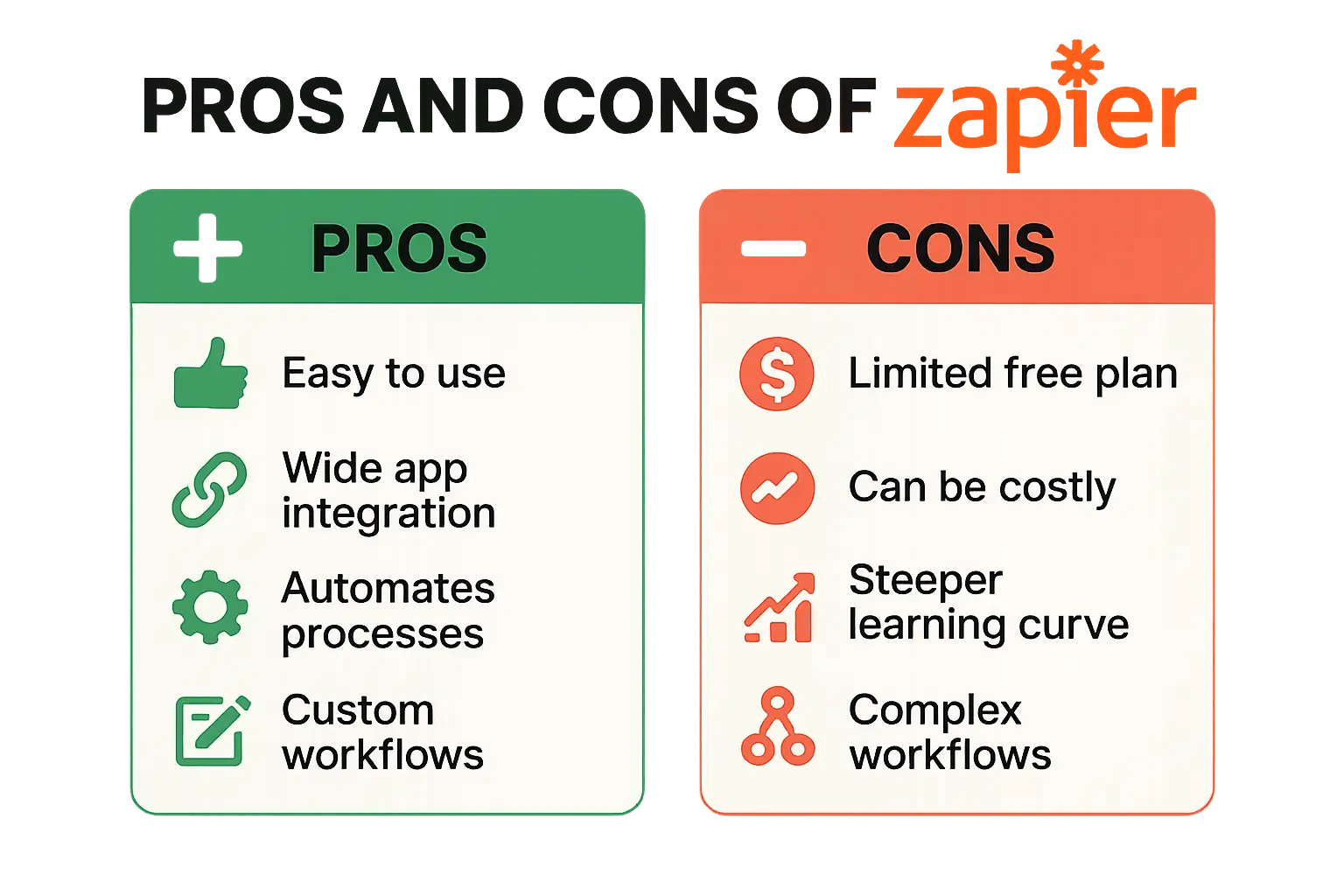
Honest Pros and Cons of Zapier
Pros
Cons and Considerations
> Always check the API limitations of your target apps and thoroughly test your automations in a safe environment before deploying them in production.
Who Should Use Zapier?
If you want to automate dozens or even hundreds of daily tasks to boost efficiency and focus, Zapier is for you.
Organizations that need systematic and rapid handling of new leads, email campaigns, customer inquiry classification, and more.
Those looking to connect multiple services and tools to save time and achieve higher productivity through automation.
Anyone wanting to move beyond basic automation and build smart workflows by combining Zapier with AI tools.
Zapier is more than just an automation tool—it's a key enabler of digital transformation when combined with AI. If you want to break free from repetitive tasks and focus on creative, strategic work, get started today at the official Zapier website. For more detailed guides and examples, visit the Zapier Help Guide.
> Start automating your repetitive tasks with Zapier today! For more tips and insights, subscribe to our newsletter.

Services by Botonglee