How to Use AI Agents: A Practical Guide to Workflow Automation
Boosting productivity and automating repetitive tasks is becoming essential in today’s work environment, and AI agents are at the heart of this transformation. By integrating AI automation into daily tasks—like replying to emails, scheduling meetings, or summarizing data—you can save significant time and energy. Yet, many people are still unsure about what exactly an AI agent is, how to set one up, or how to apply it to real work scenarios.
This article will walk you through the concept of AI agents, step-by-step installation, and hands-on usage strategies. Drawing from real-world experience, it also covers pricing models, pros and cons, and key points to consider before adopting an AI agent.
We’ll cover: 1) the basics of AI agents, 2) how to sign up and get started, 3) core features and practical use cases, 4) real-world workflow scenarios, 5) pricing structures, 6) a balanced look at advantages and limitations, and 7) who can benefit most. If you want to connect the latest AI trends and automation to your actual work, this is your practical guide.
Go to guideHow to UseLearn how to leverage AI agents in your workflow.What Is an AI Agent?
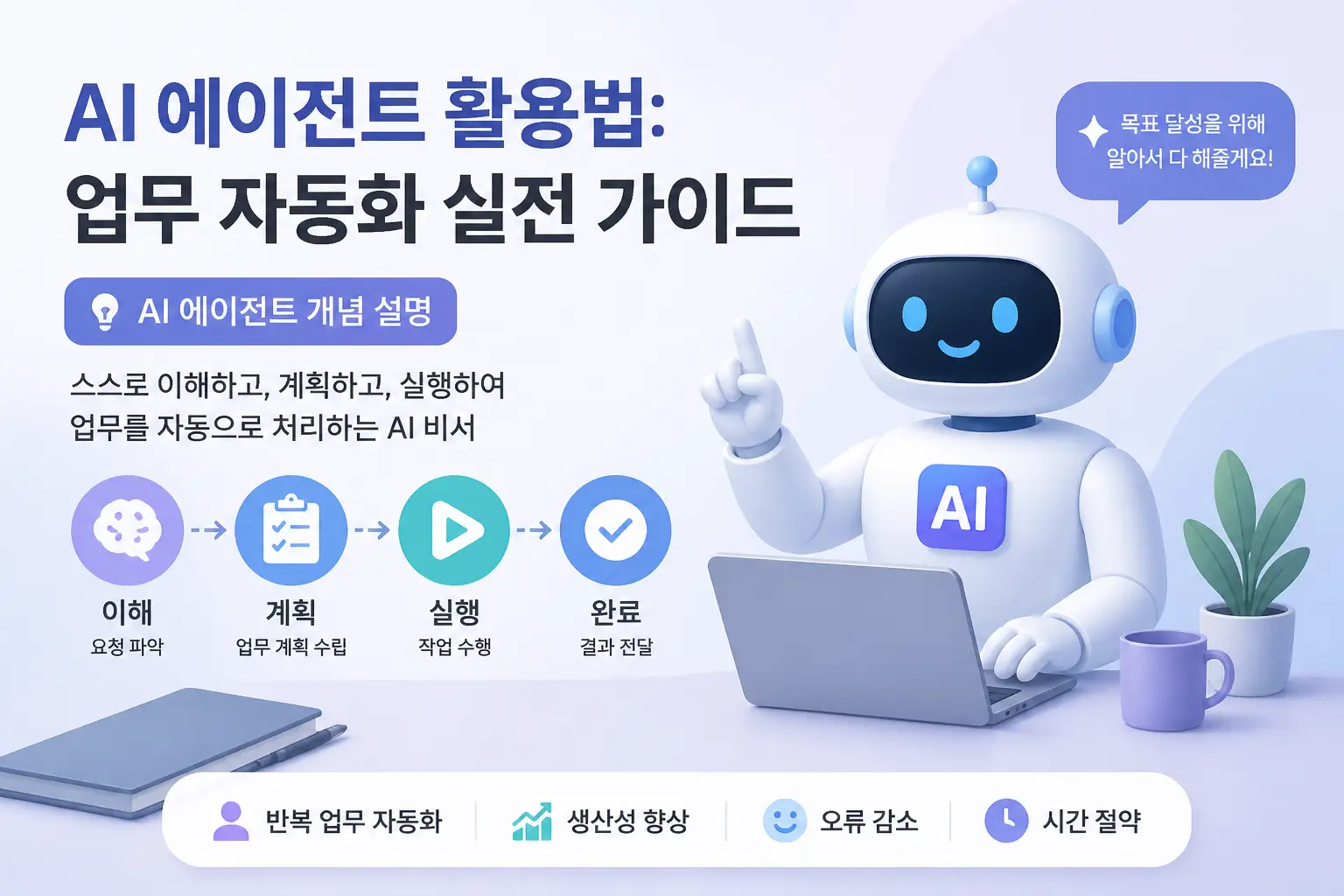
An AI agent is an intelligent software program that automatically performs tasks based on your commands or requests. It’s one of the latest productivity trends, dramatically reducing the time and effort spent on repetitive tasks. Typical examples include sorting emails, scheduling appointments, handling basic customer inquiries, and generating data analysis reports.
Whereas many of these tasks used to require manual effort, AI agents now handle them, laying the foundation for automation that’s essential in the digital transformation era. This is why both companies and individuals are rapidly adopting AI-powered automation in their work environments.
> AI agents are evolving beyond simple bots that execute commands—they’re becoming intelligent assistants capable of understanding context, adapting to situations, and handling complex workflows.
Key Features of AI Agents
Using AI agents doesn’t just improve efficiency—it’s a core driver of digital transformation, fundamentally changing how work gets done.
How to Set Up and Register an AI Agent
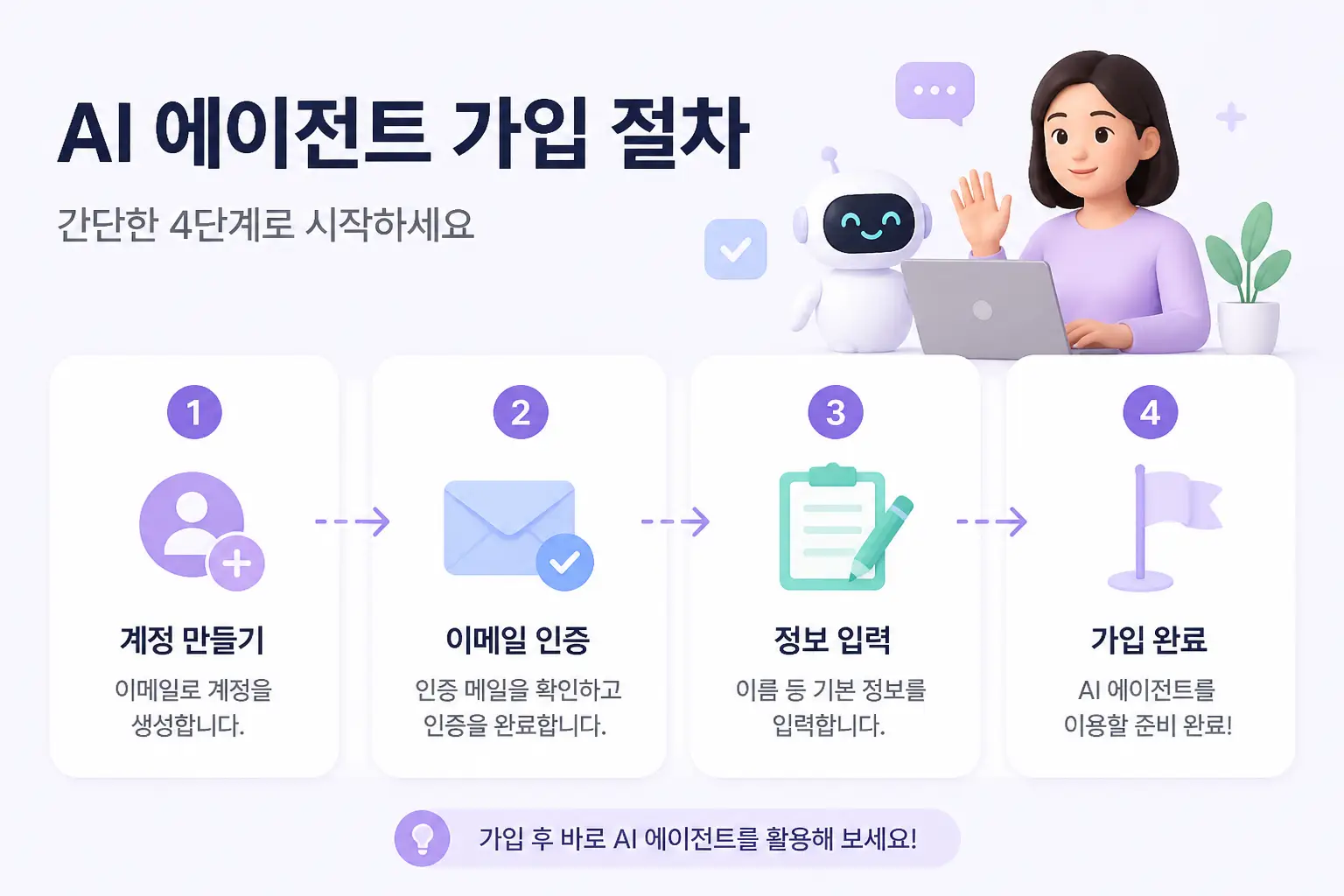
To get started with AI agents, you first need to choose a reliable service, sign up, and complete the initial setup. Here, we’ll use a fictional AI agent called ‘AgentX’ as an example to walk through the process.
Step 1. Visit the Official Website
Step 2. Enter Basic Information
Step 3. Verify Your Email
Step 4. Initial Setup Wizard
Step 5. Create Basic Conversation Templates and Automation Workflows
Once you’ve completed these steps, your AI agent is ready to go. The process is intuitive and simple—most beginners can finish in about 10 minutes.
> Tip: If you connect your Google account, enabling two-factor authentication (2FA) in advance will help enhance security.
Core Features and Use Cases of AI Agents
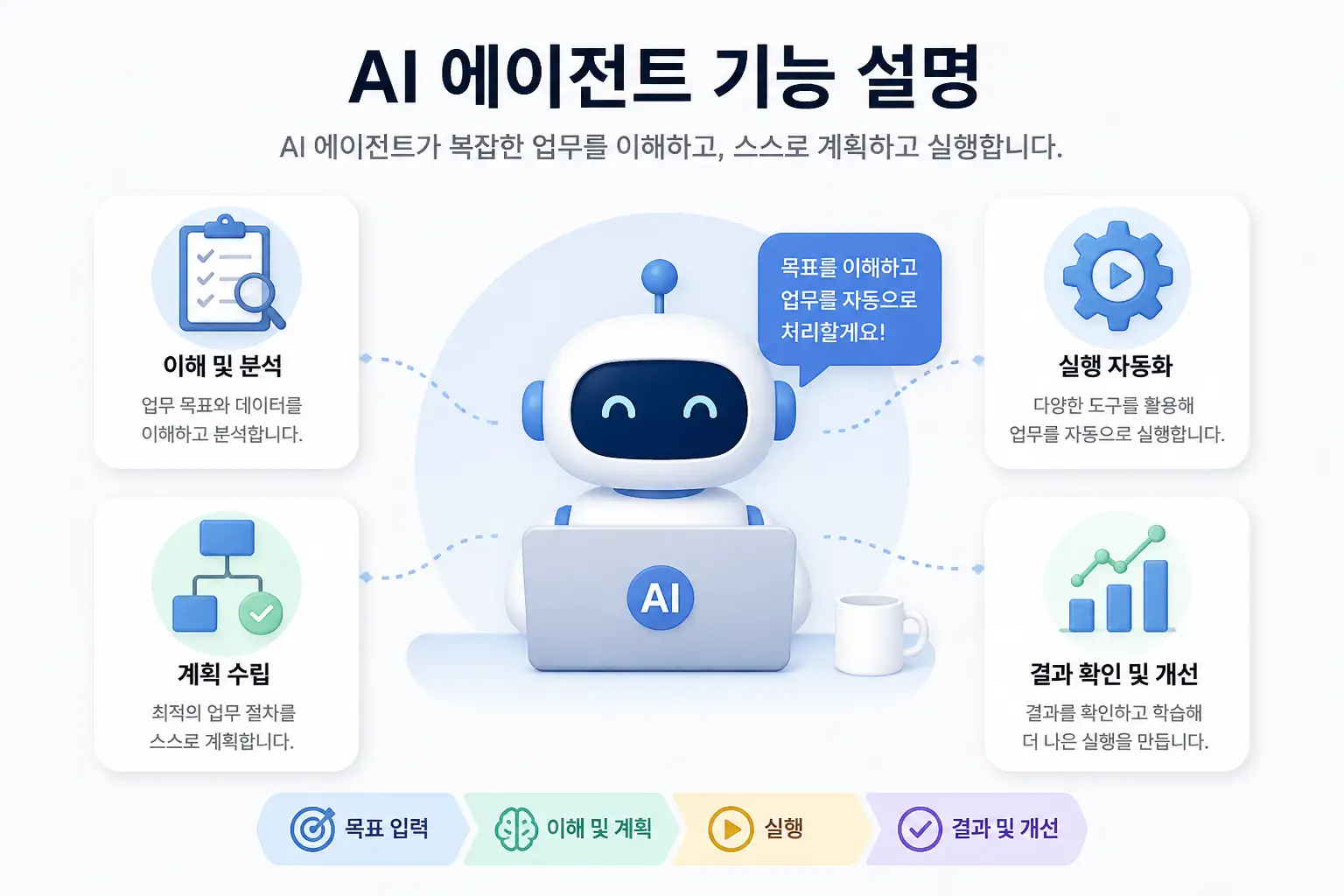
While features vary by service, most AI agents focus on boosting productivity. Here are some key functions and real-world examples based on actual usage.
1. Automated Email Response and Sorting
2. Scheduling and Calendar Automation
3. Data Analysis and Report Generation
4. Task Alerts and Priority Management
5. Simple Customer Service Chatbot
> Tip: When setting up automated email replies, including an ‘emergency contact’ or ‘detailed info page link’ can add a professional touch.
Real-World Usage Scenarios
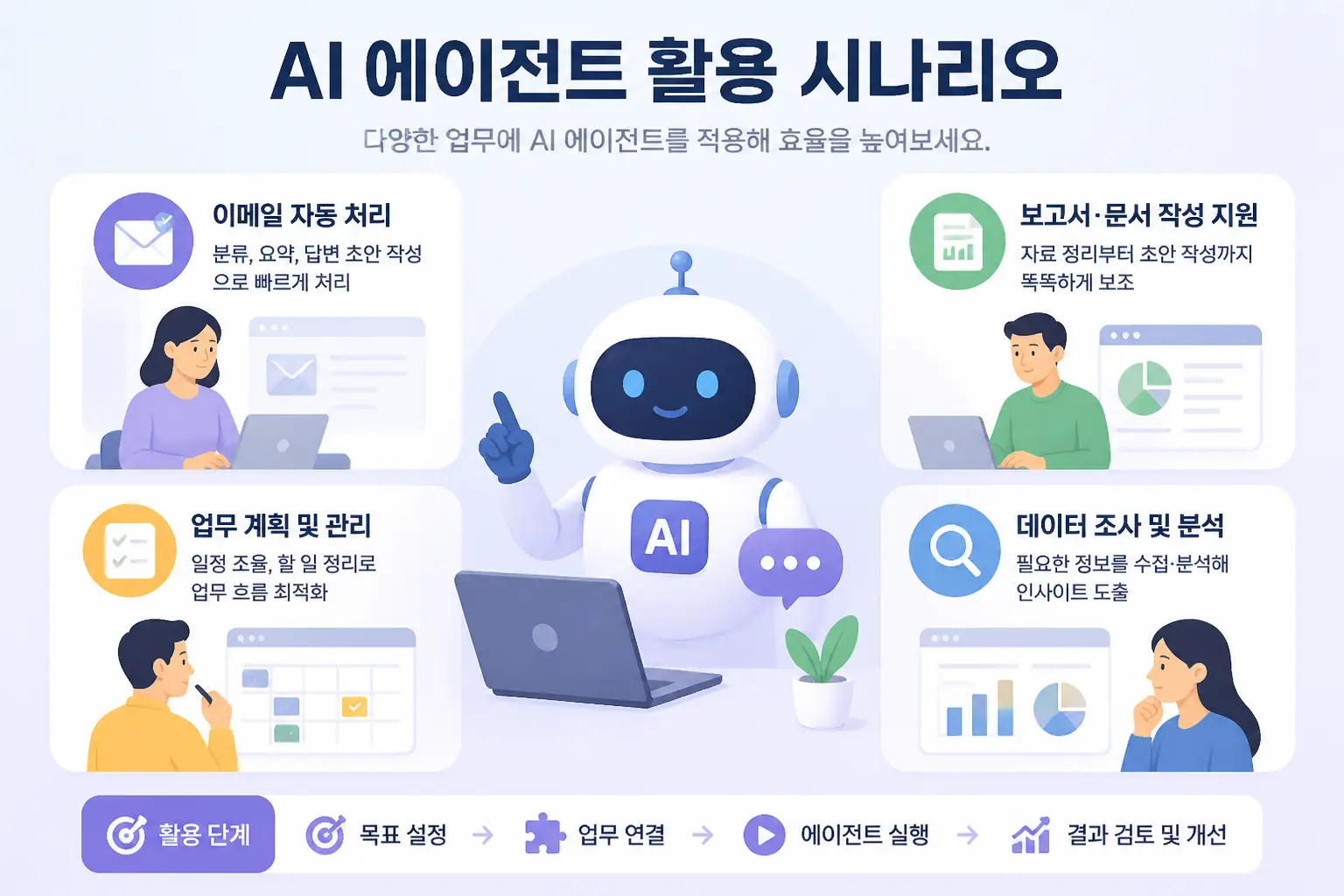
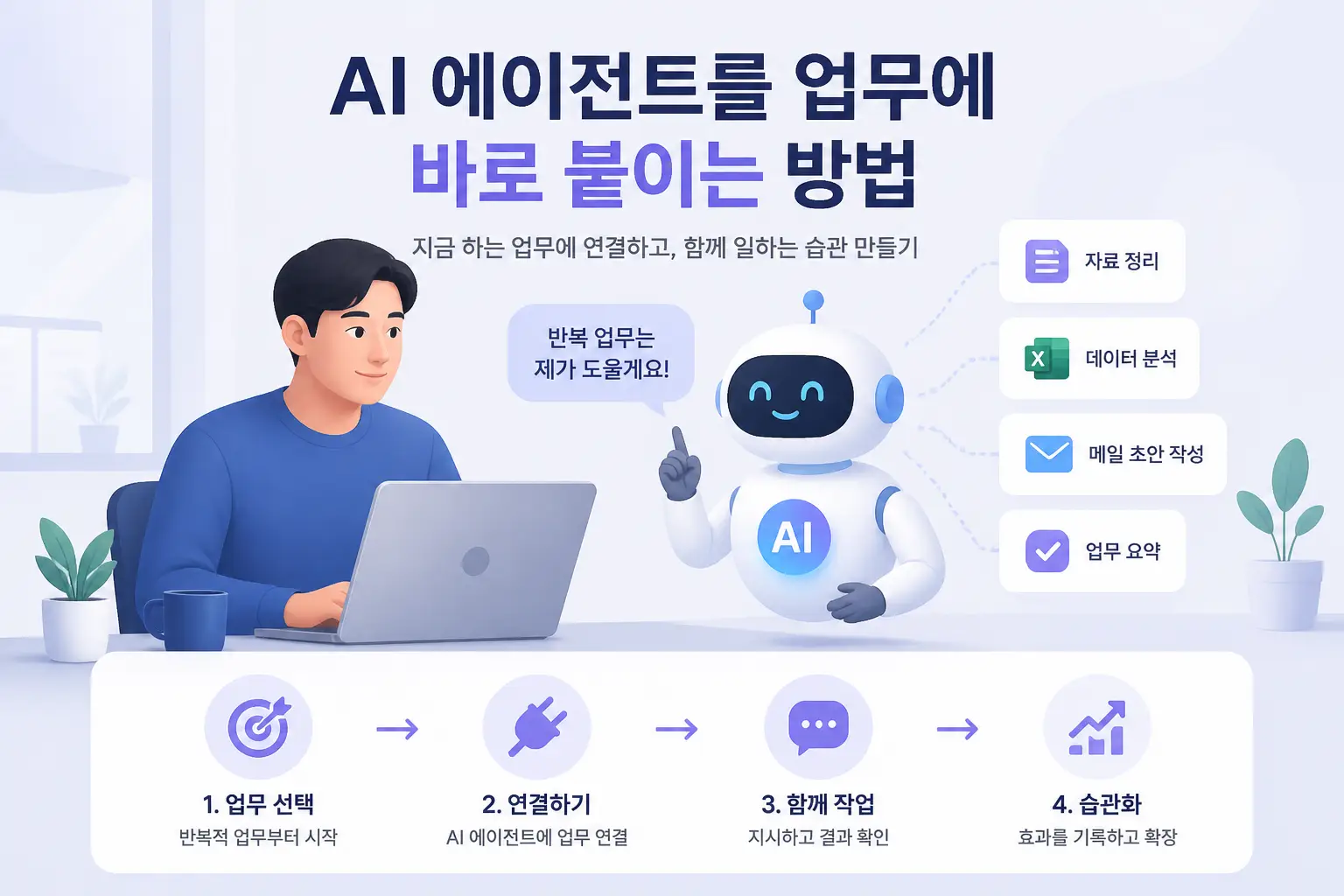
Here are some examples of how AI agents are used to automate repetitive tasks in actual workplaces.
1. Automated Morning Email Review and Response
At the start of the workday, the AI agent sorts through accumulated customer emails and automatically replies to simple questions. This allows you to focus on important messages and makes starting your day much easier.
2. Scheduling and Meeting Coordination
When arranging meetings with external partners, the AI agent checks each attendee’s calendar and suggests available times, greatly reducing the hassle of manual coordination.
3. Automated Weekly Report Generation
Every Friday, the AI agent compiles and analyzes sales data and marketing campaign results from the past week, sharing the report with the team. This eliminates the 2–3 hours previously spent on report writing.
4. Customer Service Chatbot Integration
By connecting an AI agent-powered chatbot to your website, you can offer 24/7 automated responses to frequently asked questions. This boosts customer satisfaction and reduces repetitive work for staff.
5. Urgent Alerts and Automatic Priority Adjustment
For projects nearing deadlines, the AI agent instantly detects related emails or messages and sends real-time alerts. This minimizes the risk of missing important tasks and clarifies work priorities.
With AI agents, teams have reported over 30% improvements in efficiency, freeing up time for more strategic work.
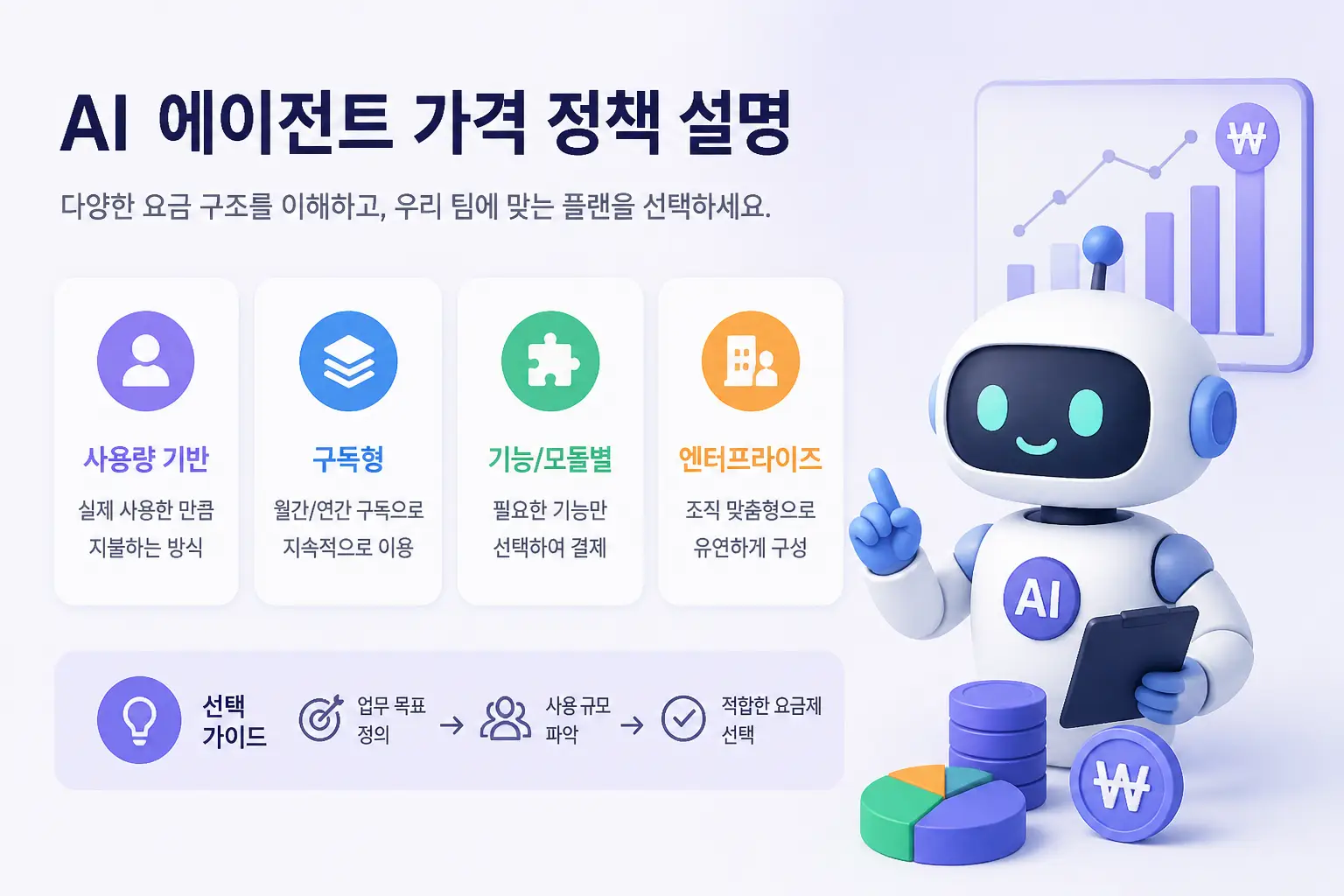
AI Agent Pricing Models
Most AI agent services offer free trials or free plans, though these come with limitations on features and usage. Upgrading to a paid plan unlocks advanced features, higher processing volumes, and custom automation.
Free Plan
Paid Plans (KRW 15,000 ~ 50,000/month)
Enterprise Custom Plans
While the free plan is sufficient for small-scale tasks or testing, upgrading is almost essential for serious business use—especially if you need multiple app integrations or high-volume automation. The cost-to-benefit ratio is particularly high for larger workflows.
For a detailed price comparison and more automation examples, see Benefits and Use Cases of AI Automation.
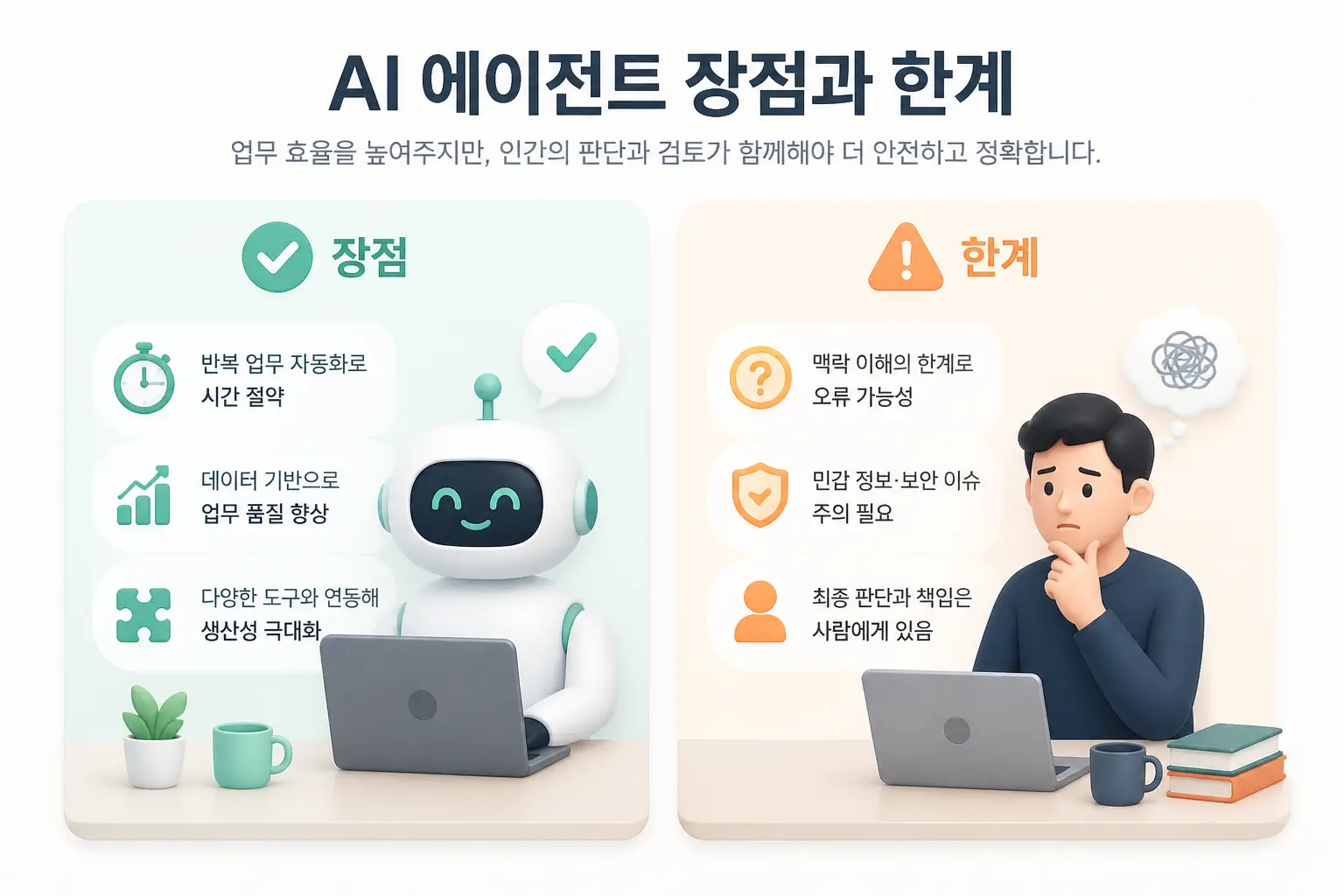
Pros and Cons of AI Agents
Advantages
Limitations and Cautions
In practice, while AI agents can handle many tasks, manual intervention is still needed for complex work, and it’s crucial to have a process for quickly checking any automation failures.
> Caution: For sensitive personal data or tasks requiring high-level judgment, always ensure final human review.
Who Should Use AI Agents?
AI agents are accessible productivity tools that anyone can adopt as AI trends evolve. If you need to automate repetitive tasks and boost efficiency, they’re well worth considering.
For more AI agent comparisons and developer-focused reviews, check out GitHub Copilot vs Cursor: Comparing AI Agents and How Developers Can Use Them.

AI agents are among the most prominent AI technologies of 2026. Adopting them for repetitive tasks can dramatically improve productivity and accelerate your digital transformation.
Start by installing a simple AI agent and let it handle email automation or calendar management. The world of AI automation—where you can save both time and improve work quality—is ready for you to explore.
References
Services by Botonglee