← 블로그 목록으로
테크

Midjourney AI 이미지 생성기 완전 사용 가이드 / Midjourney AI Image Generator: The Complete User Guide

공유

2026년, AI 도구 가이드 분야에서 가장 눈에 띄는 이미지 생성기는 무엇일까요? 저 역시 수많은 AI 도구를 써보며 비슷한 고민을 했습니다. 그중에서도 Midjourney는 2026 AI 도구 트렌드의 중심에 선 이미지 생성기입니다.

Which AI image generator will truly stand out in the 2026 AI tool landscape? I’ve wondered the same, having tested countless AI tools myself. Among them, Midjourney sits at the heart of the 2026 AI tool trends.

Midjourney는 텍스트 프롬프트만으로도 예술적인 이미지를 만들어내는 혁신적인 AI 도구입니다. 실제로 2026년 AI 도구 활용법을 고민하는 디자이너, 마케터, 콘텐츠 크리에이터라면 이 도구를 빼놓고 이야기할 수 없습니다.

Midjourney is an innovative AI tool that transforms simple text prompts into artistic images. If you’re a designer, marketer, or content creator exploring AI tool usage in 2026, it’s impossible to ignore Midjourney.

---

Midjourney란? — 개요와 핵심 가치

What is Midjourney? — Overview and Core Value

Midjourney는 입력한 텍스트를 바탕으로 고품질 이미지를 생성하는 AI 기반 이미지 생성기입니다.
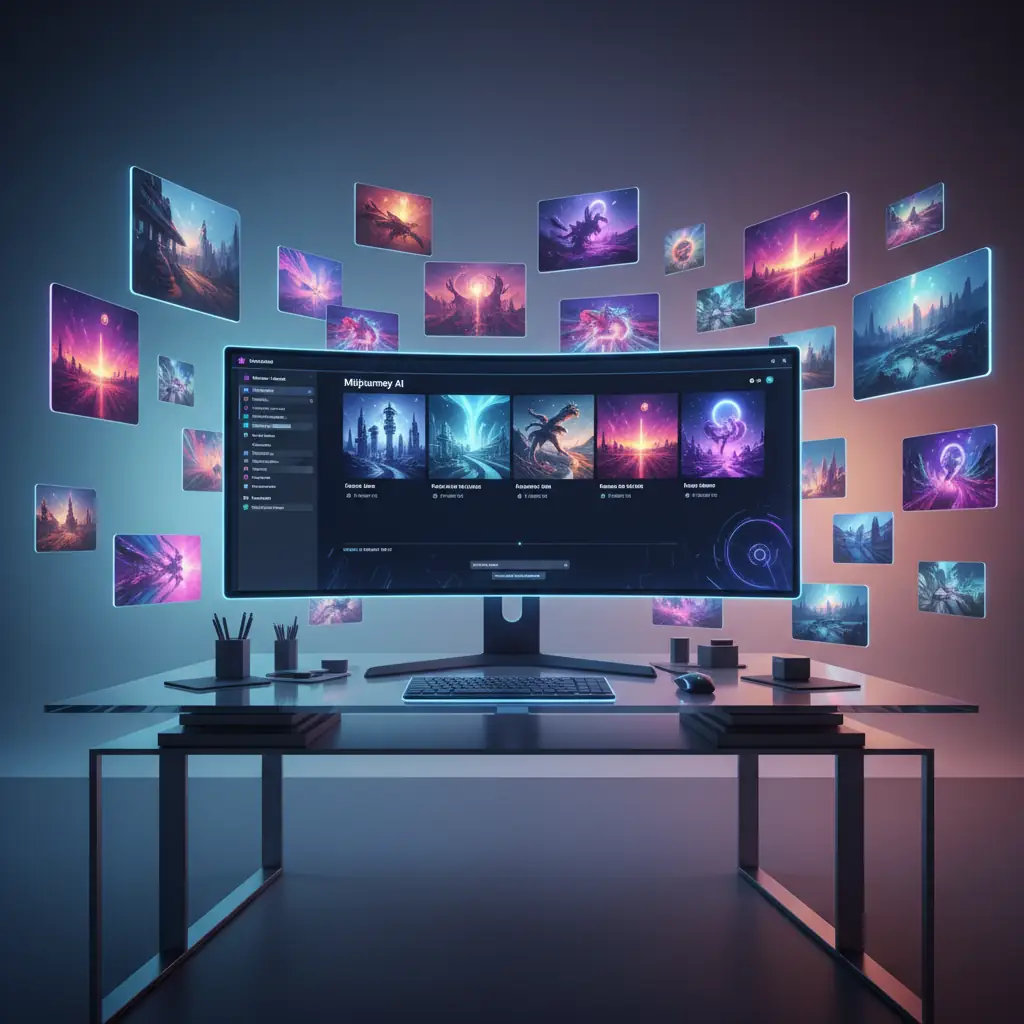
Midjourney AI 인터페이스
Midjourney AI 인터페이스

Midjourney is an AI-based image generator that produces high-quality visuals from your text prompts.

2026년 AI 트렌드는 ‘초개인화’와 ‘창의성 증강’으로 빠르게 이동하고 있습니다. Midjourney는 이런 흐름 속에서 독창적인 아트워크와 디자인을 자동화하며, 크리에이티브 작업의 방식 자체를 바꾸고 있습니다.

AI trends in 2026 are rapidly shifting toward ‘hyper-personalization’ and ‘creativity augmentation.’ Midjourney is automating unique artwork and design, fundamentally changing how creative work happens.

특히 예술적 감각과 세밀한 스타일 조정이 가능하다는 점에서, 다른 AI 이미지 생성기와 확실히 구별됩니다. 저 역시 여러 도구를 써봤지만, Midjourney만큼 감각적으로 이미지를 뽑아내는 AI는 드물었습니다.

What sets it apart is its artistic sensibility and fine-tuned style customization. Having used many tools myself, I rarely see an AI generate images with such flair as Midjourney.

이런 이유로 2026 AI 도구 활용법을 고민하는 실무자라면 Midjourney를 반드시 경험해볼 필요가 있습니다.

That’s why, if you’re thinking about AI tool usage in 2026, Midjourney is a must-try.

---

주요 기능 심층 분석

Deep Dive into Key Features

텍스트-투-이미지 변환

Text-to-Image Conversion

텍스트-투-이미지 변환 과정
텍스트-투-이미지 변환 과정

Midjourney는 입력한 텍스트 프롬프트를 복잡한 신경망이 해석해, 스타일·구성·색감까지 반영된 창의적인 이미지를 만들어냅니다.

Midjourney’s neural networks interpret your text prompts, generating creative images that reflect style, composition, and color nuances.

광고 캠페인, 프로토타입 디자인, 소셜 미디어 콘텐츠 등에서 이미지 제작 시간을 획기적으로 줄여줍니다. 저도 실제 프로젝트에서 몇 분 만에 시안을 뽑아본 경험이 있습니다.
It drastically reduces image production time for ad campaigns, prototype design, and social media content. I’ve personally created draft visuals in just minutes for real projects.

스타일 및 분위기 커스터마이징

Style and Mood Customization

‘현대적’, ‘레트로’, ‘사이버펑크’ 등 다양한 스타일을 세밀하게 조절할 수 있습니다. 브랜드 아이덴티티에 맞는 비주얼을 구현할 때 특히 유용합니다.

You can fine-tune styles like ‘modern’, ‘retro’, or ‘cyberpunk.’ This is especially helpful for visuals that need to match a brand’s identity.

고해상도 업스케일링과 변형

High-Resolution Upscaling and Variations

생성된 이미지는 자동으로 고해상도 버전이 제공되고, 다양한 변형 이미지를 추가로 받을 수 있습니다. 덕분에 디자인 검토와 최종 출력 과정이 훨씬 효율적입니다.

Images are automatically upscaled to high resolution, and you can request various variations. This makes design review and final output far more efficient.

커뮤니티 기반 프롬프트 공유와 협업

Community-Driven Prompt Sharing and Collaboration

Midjourney에는 프롬프트를 공유하고, 서로의 아이디어를 발전시키는 커뮤니티가 있습니다. 2026년 AI 도구 활용법에서 협업의 중요성이 커지는 만큼, 이 기능이 실무에 큰 힘이 됩니다.

Midjourney has a community where users share prompts and build on each other’s ideas. As collaboration becomes more important in 2026 AI tool usage, this feature is a real asset.

---

실전 사용 가이드

Practical Usage Guide

회원가입과 계정 설정

Sign Up and Account Setup

AI 프롬프트 작성 가이드
AI 프롬프트 작성 가이드

Midjourney 공식 웹사이트에서 이메일과 비밀번호로 간단하게 회원가입을 할 수 있습니다. 무료 체험을 선택하면 제한된 횟수지만 바로 이미지를 만들어볼 수 있습니다.
Sign up easily on the official Midjourney website with your email and password. The free trial lets you generate a limited number of images right away.

디스코드 접속과 봇 사용

Connect to Discord and Use the Bot

Midjourney는 디스코드(Discord) 기반 서비스입니다. 디스코드 앱을 설치하고, Midjourney 공식 서버에 입장하세요. ‘#newbies’ 채널에서 “/imagine” 명령어와 함께 프롬프트를 입력하면 이미지 생성이 시작됩니다.

Midjourney works via Discord. Install the Discord app, join the official Midjourney server, and type “/imagine” with your prompt in the ‘#newbies’ channel to start generating images.

이미지 옵션 조절과 업스케일링

Adjust Image Options and Upscale

봇이 출력한 썸네일 중 원하는 이미지를 골라 ‘U1~U4’ 버튼으로 고해상도 업스케일을 요청할 수 있습니다. ‘V1~V4’ 버튼은 해당 이미지의 새로운 변형을 만들어줍니다.

Choose your favorite thumbnail and use the ‘U1-U4’ buttons for high-res upscaling. The ‘V1-V4’ buttons generate new variations of the selected image.

결과물 다운로드 및 활용

Download and Use Outputs

최종 이미지는 디스코드 내에서 바로 다운로드할 수 있습니다. 마케팅 자료, 웹사이트, 포트폴리오 등 다양한 곳에 활용해보세요.

Download the final images directly from Discord and use them in marketing materials, websites, or portfolios.

---

전문가 활용 전략

Expert Utilization Strategies

고급 프롬프트 엔지니어링

Advanced Prompt Engineering

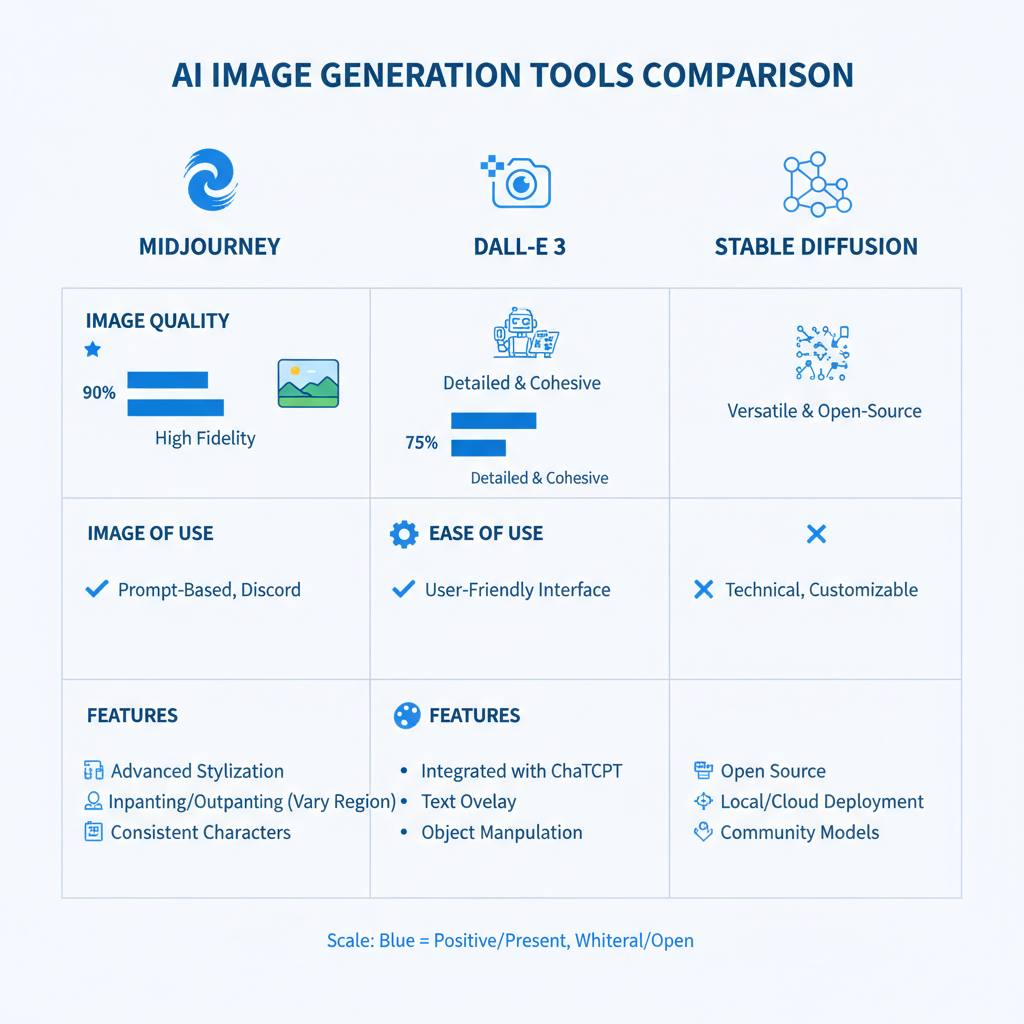
AI 도구 비교 인포그래픽
AI 도구 비교 인포그래픽

프롬프트에 어떤 단어와 문장 구조, 스타일 키워드를 넣느냐에 따라 결과물이 완전히 달라집니다. 예를 들어 “ultra-detailed cyberpunk cityscape at night, neon lights”처럼 구체적으로 입력할수록 퀄리티가 높아집니다.

The words, sentence structure, and style keywords in your prompt make all the difference. For example, a detailed prompt like “ultra-detailed cyberpunk cityscape at night, neon lights” yields higher-quality results.

워크플로우 최적화

Workflow Optimization

디스코드 봇 스크립트 등 자동화 도구와 연동하면 반복 작업을 줄이고, 이미지 생성부터 리뷰, 수정, 최종 출력까지의 흐름을 체계화할 수 있습니다.

Integrate automation tools like Discord bot scripts to reduce repetitive tasks and streamline the flow from image generation to review, editing, and final output.

흔한 실수와 해결법

Common Mistakes and Solutions

프롬프트가 너무 추상적이면 결과물이 모호하거나 품질이 낮을 수 있습니다. 이럴 땐 키워드를 구체화하거나 스타일 가이드를 명확히 해보세요. 또 너무 긴 문장은 처리 시간이 늘어날 수 있으니, 적당한 길이를 유지하는 게 좋습니다.

If your prompt is too abstract, results may be vague or low-quality. Specify keywords or clarify your style guide. Also, keep prompts at a reasonable length to avoid long processing times.

다른 AI 도구와 연계

Integration with Other AI Tools

Midjourney로 만든 이미지는 AI 영상 편집 도구(예: Runway)나 프레젠테이션 도구(예: Gamma)와 연동해 콘텐츠 제작 효율을 극대화할 수 있습니다.

Images created with Midjourney can be linked to AI video editing tools like Runway or presentation tools like Gamma to maximize content creation efficiency.

---

대안 도구 비교

Alternative Tool Comparison

| 도구명 | 주요 기능 | 가격(2026년 기준) | 적합 용도 |

|------------|---------------------------------|----------------------------|---------------------------|

| Midjourney | 예술적 이미지 생성, 스타일 커스터마이징 | 월 $30~50 | 디자인, 콘텐츠 크리에이션 |

| DALL·E 3 | 신속한 이미지 생성, 텍스트 이해도 높음 | 월 $20~40 | 단순 이미지 제작, 프로토타입 |

| Stable Diffusion | 오픈소스, 커스터마이징 자유도 극대화 | 무료~유료 플랜 다양함 | 연구, 실험, 맞춤형 개발 |

Midjourney는 예술성과 스타일 조절이 중요한 프로젝트에 최적화되어 있습니다. 2026년 AI 도구 활용법에서 중심적인 위치를 차지하게 될 도구입니다.

Midjourney is optimized for projects where artistry and style control matter most. It will be a central tool in 2026 AI tool usage strategies.

---

핵심 요약 및 추천

Summary and Recommendation

Midjourney는 2026년 AI 도구 진화의 한가운데에서 창의적 이미지 생성과 개인화된 비주얼 제작의 중심에 있습니다. 저 역시 다양한 AI 도구를 써봤지만, Midjourney만큼 시각적 혁신을 이끄는 도구는 드물었습니다.

Midjourney stands at the center of creative image generation and personalized visual production in the evolution of AI tools in 2026. Having tried many AI tools myself, few drive visual innovation like Midjourney.

디자이너, 마케터, 콘텐츠 크리에이터 등 시각적 혁신을 추구하는 전문가라면 Midjourney를 꼭 활용해보시길 추천합니다.

If you’re a designer, marketer, or content creator seeking visual innovation, I strongly recommend giving Midjourney a try.

---

작성자: 보통리 (Botonglee)

Author: Botonglee