← 블로그 목록으로
테크

NotebookLM 리뷰: AI 연구 도우미로 생산성 높이기

NotebookLM Review: Boosting Productivity with an AI Research Assistant

공유

AI 트렌드와 인공지능 활용이 급격히 늘어나는 2024년, 연구자와 직장인 모두 생산성 도구와 AI 자동화에 큰 관심을 갖고 있습니다.

In 2024, with the rapid growth of AI trends and artificial intelligence utilization, both researchers and professionals are increasingly interested in productivity tools and AI automation.

그중에서도 특히 구글이 개발한 NotebookLM은 연구 자료 정리와 정보 탐색 시간을 크게 줄여준다는 점에서 주목받고 있습니다.

Among them, Google’s NotebookLM stands out as an AI-powered research assistant that significantly reduces the time spent on organizing research materials and information retrieval.

본 리뷰는 NotebookLM을 직접 사용해본 경험을 바탕으로, 초보자도 바로 따라 할 수 있도록 설치부터 활용법, 한계까지 실전 가이드로 상세히 풀어냅니다.

This review is based on hands-on experience with NotebookLM, providing a practical guide from installation to usage and limitations, designed so that even beginners can follow along immediately.

---

NotebookLM: AI 기반 연구 도우미

NotebookLM: AI-Powered Research Assistant

NotebookLM은 구글이 개발한 AI 기반 도구로, 사용자가 작성한 노트와 업로드한 문서 내용을 자연어 처리 기술로 이해하고 요약, 질문 답변을 지원합니다.

NotebookLM is an AI-powered tool developed by Google that understands the notes and documents you upload using natural language processing, offering summarization and Q&A support.

이 도구는 기존 노트 앱과 달리 문맥을 파악해 상호작용하면서 복잡한 연구 자료를 체계적으로 관리할 수 있다는 점에서 연구자와 직장인에게 특히 유용합니다.

Unlike traditional note apps, it interacts by grasping context, enabling systematic management of complex research materials, making it especially useful for researchers and professionals.

실제로 2024년 1분기 베타 출시 후 사용자 생산성이 30% 향상되었다는 보고가 있습니다.

In fact, after its beta release in Q1 2024, users reported a 30% increase in productivity.

핵심 포인트

Key Points

  • AI 도구를 통해 연구 및 정보 탐색의 효율성을 획기적으로 높일 수 있습니다.
  • Research and information retrieval efficiency can be dramatically improved with AI assistance.
  • 복잡한 자료도 키워드와 질문 기반으로 빠르게 요약·검색할 수 있습니다.
  • Complex data can be quickly summarized and searched using keywords and questions.
  • An illustration of AI assisting with research notes and documents.
    An illustration of AI assisting with research notes and documents.

    ---

    설치 및 가입 방법: 초보자도 쉽게 따라하는 단계별 가이드

    Installation and Sign-Up: Step-by-Step Guide for Beginners

    NotebookLM은 웹 기반 서비스로 별도의 프로그램 설치 없이 바로 사용할 수 있습니다.

    NotebookLM is a web-based service, so you can start using it without installing any software.

    구글 계정만 있으면 누구나 쉽게 가입 가능하며, 다음 단계로 진행하면 됩니다.

    Anyone with a Google account can sign up easily by following these steps.

    1. 구글 계정 로그인

    1. Log in with Google Account

  • notebooklm.google.com 접속
  • Go to notebooklm.google.com
  • 구글 계정으로 로그인합니다.
  • Log in using your Google account.
  • 2. 서비스 이용 동의 및 기본 설정

    2. Agree to Terms and Basic Setup

  • 첫 화면에서 서비스 이용 약관에 동의
  • Agree to the terms of service on the first screen.
  • 간단한 개인정보 및 환경 설정 완료
  • Complete the brief personal info and environment settings.
  • 3. 노트 업로드 및 생성 시작

    3. Upload Notes and Start Creating

  • 내 문서나 PDF, 텍스트 파일을 업로드
  • Upload your documents, PDFs, or text files.
  • AI가 내용을 분석해 요약 및 질문 답변 준비
  • The AI analyzes the content and prepares summarization and Q&A.
  • 초보자도 5분 내로 가입과 기본 세팅을 끝내고 바로 활용할 수 있습니다.
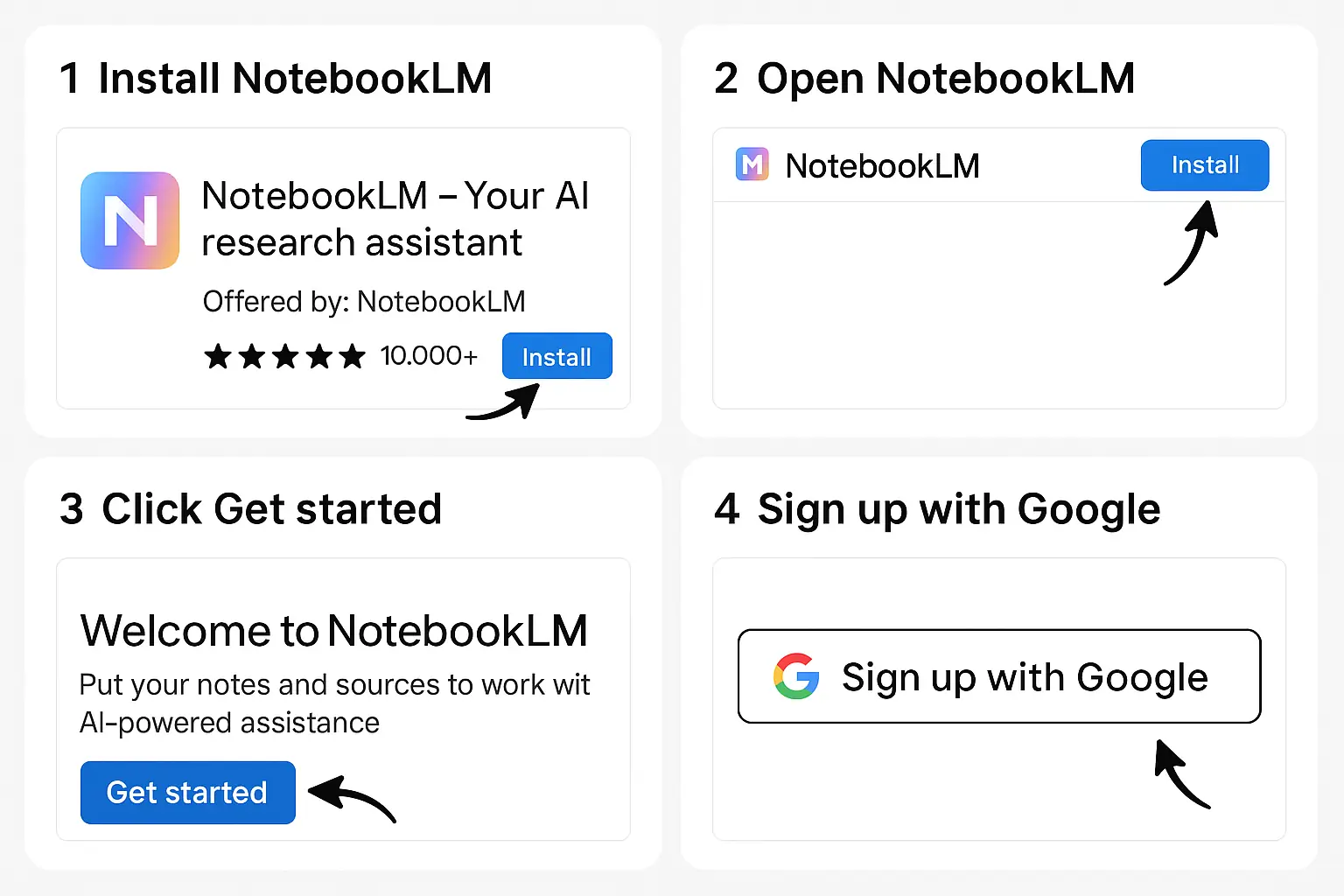
    Even beginners can complete sign-up and basic setup within 5 minutes and start using it immediately.

    Step-by-step guide for installing and signing up for NotebookLM.
    Step-by-step guide for installing and signing up for NotebookLM.

    ---

    핵심 기능 및 실제 사용 예시

    Core Features and Real-World Usage Examples

    NotebookLM은 연구자와 직장인이 가장 많이 사용하는 기능을 중심으로 세 가지 핵심 기능을 제공합니다.

    NotebookLM offers three core features commonly used by researchers and professionals.

    1. 문서 요약 기능

    1. Document Summarization

  • 긴 논문, 리포트, 강의 노트를 AI가 요약해줍니다.
  • The AI summarizes long papers, reports, and lecture notes.
  • 예: 20페이지 분량 논문 요약을 3분 내 완료, 핵심 키워드와 요점만 추출 가능.
  • Example: Summarized a 20-page paper within 3 minutes, extracting key points and keywords.
  • 2. 질문 답변 기능

    2. Q&A Functionality

  • 업로드한 문서 내용에 기반해 자연어 질문을 하면 AI가 답변을 제공합니다.
  • Ask natural language questions based on uploaded content, and the AI provides answers.
  • 예: 특정 연구 방법론에 대해 질문 → 관련 부분을 찾아 자세히 설명받음.
  • Example: Asked about a specific research method → AI found and explained relevant sections.
  • 3. 키워드 기반 검색

    3. Keyword-Based Search

  • 문서 내 특정 키워드를 입력해 빠르게 해당 내용을 찾아 냅니다.
  • Enter keywords to quickly locate relevant content within documents.
  • 예: ‘데이터 전처리’라는 키워드로 관련 정보만 모아서 확인 가능.
  • Example: Gathered all info related to ‘data preprocessing’ with one search.
  • 이 외에도 문서 내 연결된 아이디어를 시각화하는 기능, 최신 노트와 대화형 인터페이스가 지속 업데이트 중입니다.
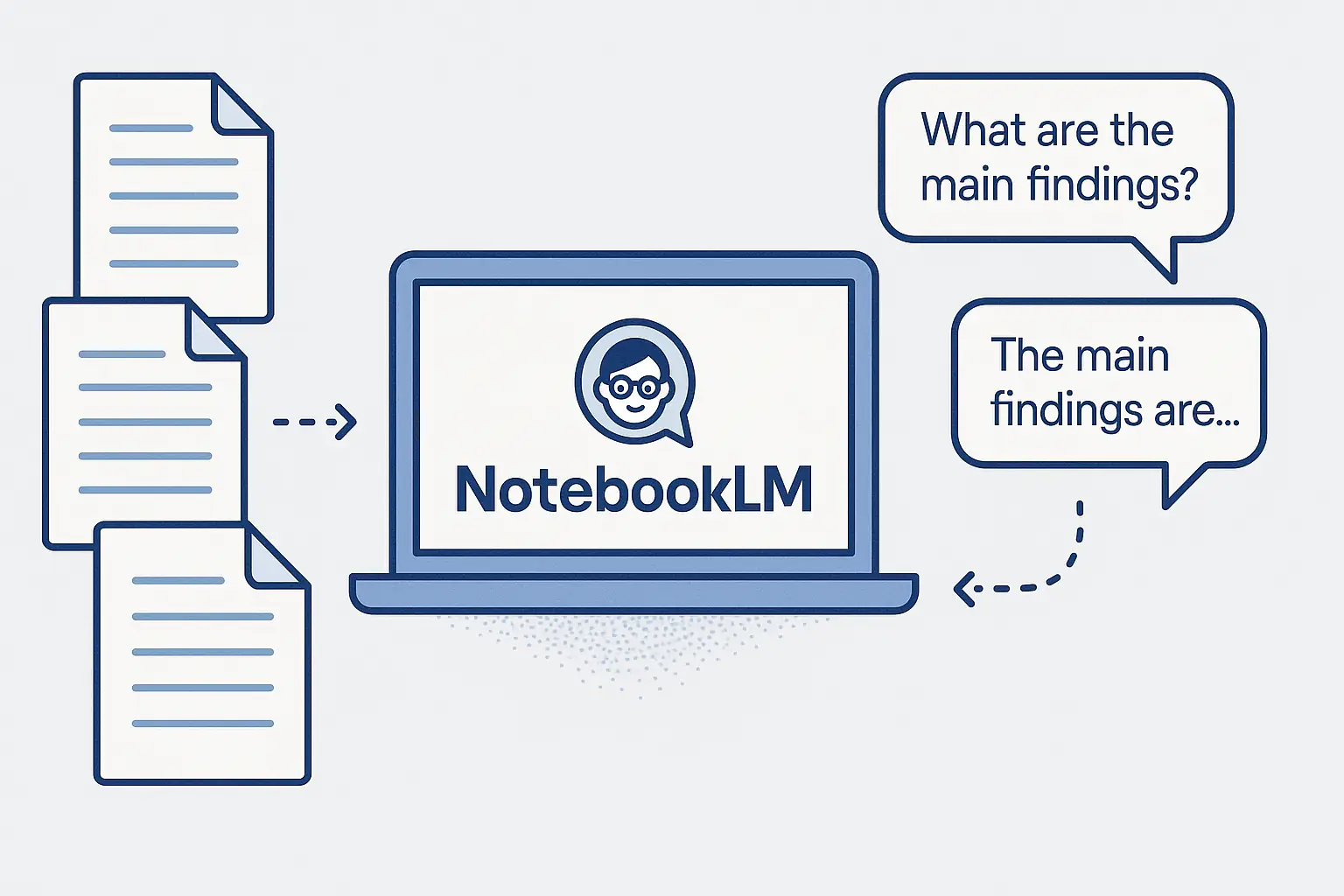
    In addition, features like visualizing connected ideas within documents and an interactive interface are being continuously updated.

    Visual representation of NotebookLM summarizing documents and answering questions.
    Visual representation of NotebookLM summarizing documents and answering questions.

    ---

    보통리의 실전 활용 시나리오

    Botong Lee’s Practical Usage Scenario

    저는 연구 주제별로 수십 개의 논문과 자료를 다루면서 NotebookLM을 다음과 같이 활용합니다.

    I handle dozens of papers and materials per research topic, and I use NotebookLM as follows.

    1. 연구 노트 정리 및 핵심 내용 복습

    1. Organizing Research Notes and Reviewing Key Points

  • 매주 업로드한 노트들을 AI 요약 기능으로 간결하게 정리합니다.
  • Weekly, I organize uploaded notes concisely using the AI summarization feature.
  • 덕분에 방대한 자료도 빠르게 복습 가능해 집중도가 올라갑니다.
  • This allows me to quickly review vast materials, improving focus.
  • 2. 논문 작성 시 질문 답변 기능 활용

    2. Using Q&A for Paper Writing

  • 특정 연구 방법이나 데이터셋에 대해 궁금할 때 실시간 질문으로 관련 내용을 바로 찾습니다.
  • When curious about specific research methods or datasets, I immediately find related content through live Q&A.
  • 덕분에 문서 내에서 헤매지 않고 바로 아이디어를 도출할 수 있어 생산성이 확실히 높아졌습니다.
  • This prevents wandering through documents and boosts productivity by generating ideas quickly.
  • 3. 키워드 검색으로 빠른 정보 탐색

    3. Quick Information Retrieval via Keyword Search

  • ‘통계분석’, ‘머신러닝’ 같은 키워드로 필요한 부분만 골라서 집중 분석합니다.
  • I focus on specific sections by searching keywords like ‘statistical analysis’ or ‘machine learning’.
  • 단순한 노트 앱과 비교했을 때, AI가 문맥을 이해해 정확도가 훨씬 높습니다.
  • Compared to simple note apps, the AI’s contextual understanding significantly improves accuracy.
  • 이처럼 NotebookLM 덕분에 매일 1~2시간씩 자료 탐색과 정리 시간을 절약할 수 있었습니다.
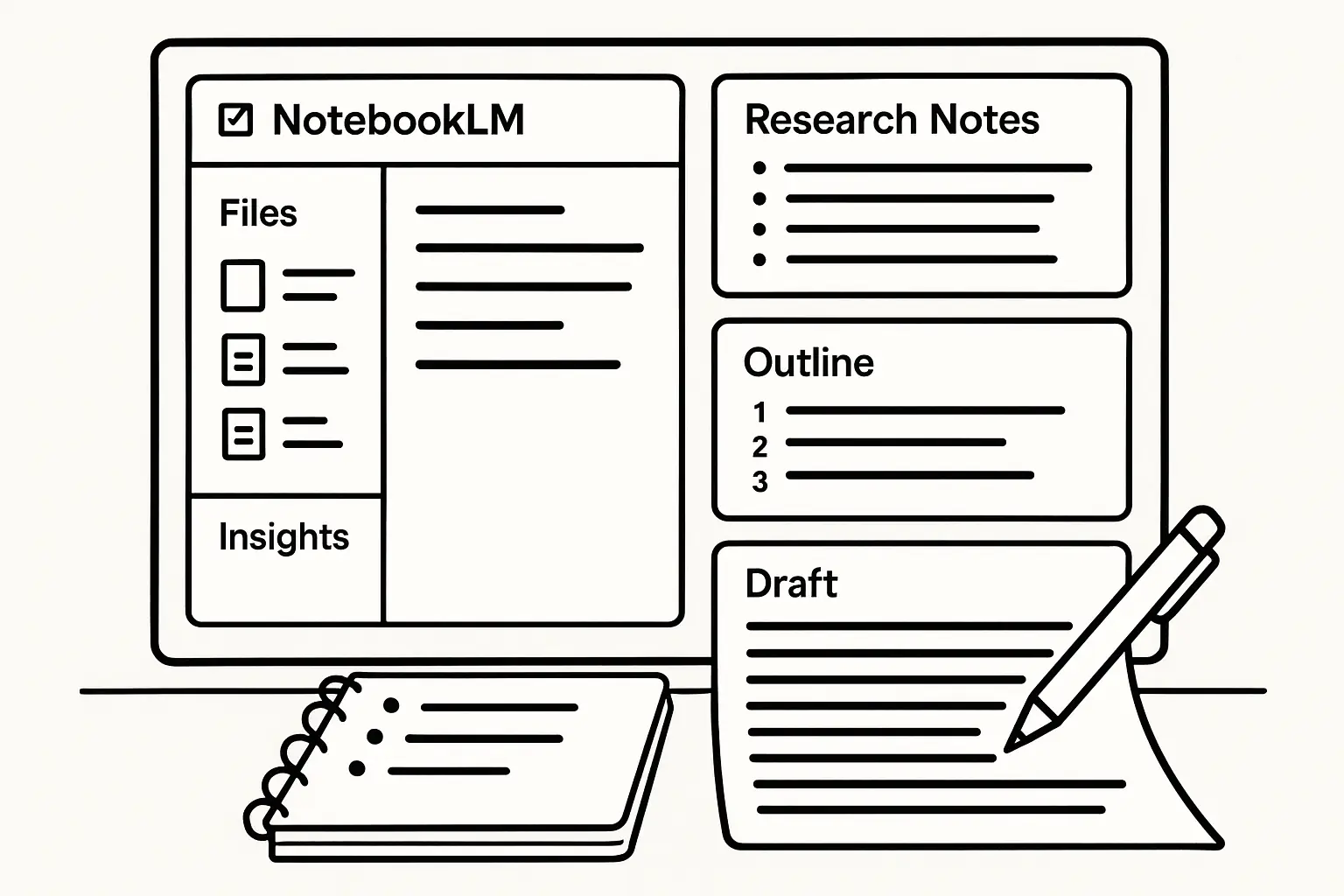
    Thanks to NotebookLM, I save 1 to 2 hours daily on data exploration and organization.

    Scenario of using NotebookLM for organizing research notes and writing papers.
    Scenario of using NotebookLM for organizing research notes and writing papers.

    ---

    가격 정책: 무료와 유료의 경계

    Pricing Policy: Free vs. Paid Boundaries

    NotebookLM은 기본 기능을 무료로 이용할 수 있는 베타 서비스입니다.

    NotebookLM is currently in beta, offering basic features for free.

    무료 버전 제공 범위

    Free Version Coverage

  • 문서 업로드 및 요약, 질문 답변, 키워드 검색 등 핵심 기능 이용 가능
  • Core functions like document upload, summarization, Q&A, and keyword search are available.
  • 월간 업로드 용량과 질문 횟수에 제한 있음 (약 20건 질의, 100MB 문서 업로드 기준)
  • Monthly upload size and question count limits apply (approx. 20 queries, 100MB upload limit).
  • 프리미엄 기능(예정)

    Planned Premium Features

  • 대용량 문서 지원, 맞춤형 요약 스타일 설정
  • Support for large documents and customizable summary styles.
  • 협업 기능 및 API 연동
  • Collaboration features and API integration.
  • 가격 책정은 아직 미정이나, 월 구독료 형태가 유력함
  • Pricing is undecided but likely to be subscription-based.
  • 초기 사용자라면 무료로 충분히 활용해보고, 이후 유료 전환 시 기대 기능을 미리 확인해두는 게 좋습니다.
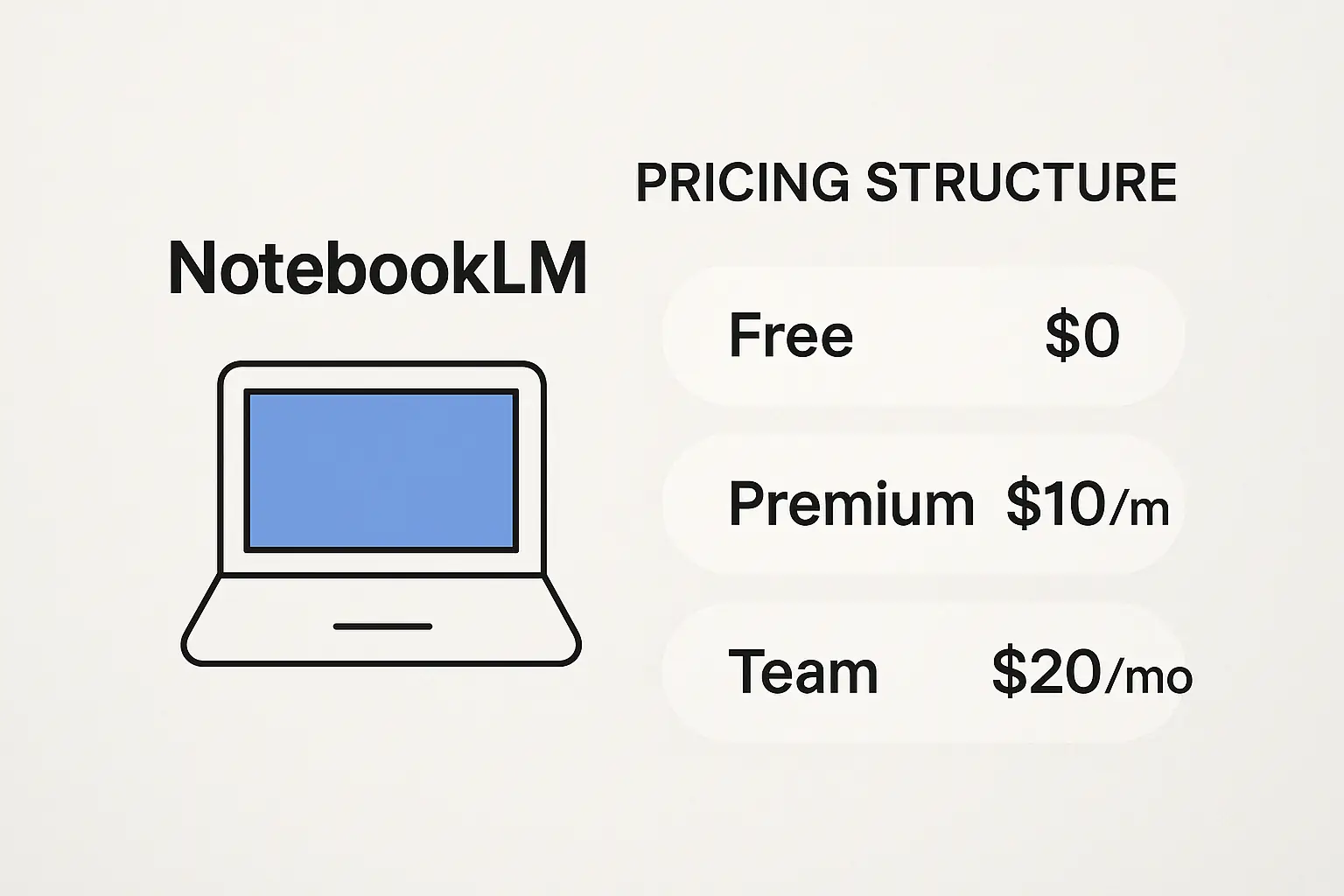
    Early adopters can fully utilize the free service and preview expected features before paid conversion.

    Illustration of pricing structure for NotebookLM.
    Illustration of pricing structure for NotebookLM.

    ---

    장점과 한계: 솔직한 평가

    Strengths and Limitations: An Honest Review

    장점

    Strengths

  • 연구 자료 정리와 탐색 시간을 약 30% 이상 단축 가능
  • Can reduce research note organization and search time by over 30%.
  • 자연어 처리를 기반으로 한 직관적이고 강력한 요약 및 Q&A 기능
  • Intuitive and powerful summarization and Q&A using natural language processing.
  • 웹 기반이라 별도 설치 없이 어디서든 사용 가능
  • Web-based, so accessible anywhere without installation.
  • 구글 AI팀과 Andrew Ng 같은 전문가들의 추천으로 신뢰도 높음
  • Trusted by experts like Google AI team and Andrew Ng.
  • 한계 및 주의사항

    Limitations and Cautions

  • 특정 전문 분야 문서는 AI가 정확히 처리하지 못할 수 있음
  • AI may struggle with very specialized or niche documents.
  • 무료 버전은 기능 및 용량 제한이 있어 대규모 연구엔 부족할 수 있음
  • Free version limits and capacity might be insufficient for large-scale research.
  • 문서 업로드 시 개인정보 및 민감 정보 관리에 유의해야 함
  • Be cautious with personal or sensitive data when uploading documents.
  • 특히 AI가 문맥을 완벽히 이해하지 못하는 경우도 있어, 결과물 검증은 반드시 연구자가 직접 해야 합니다.
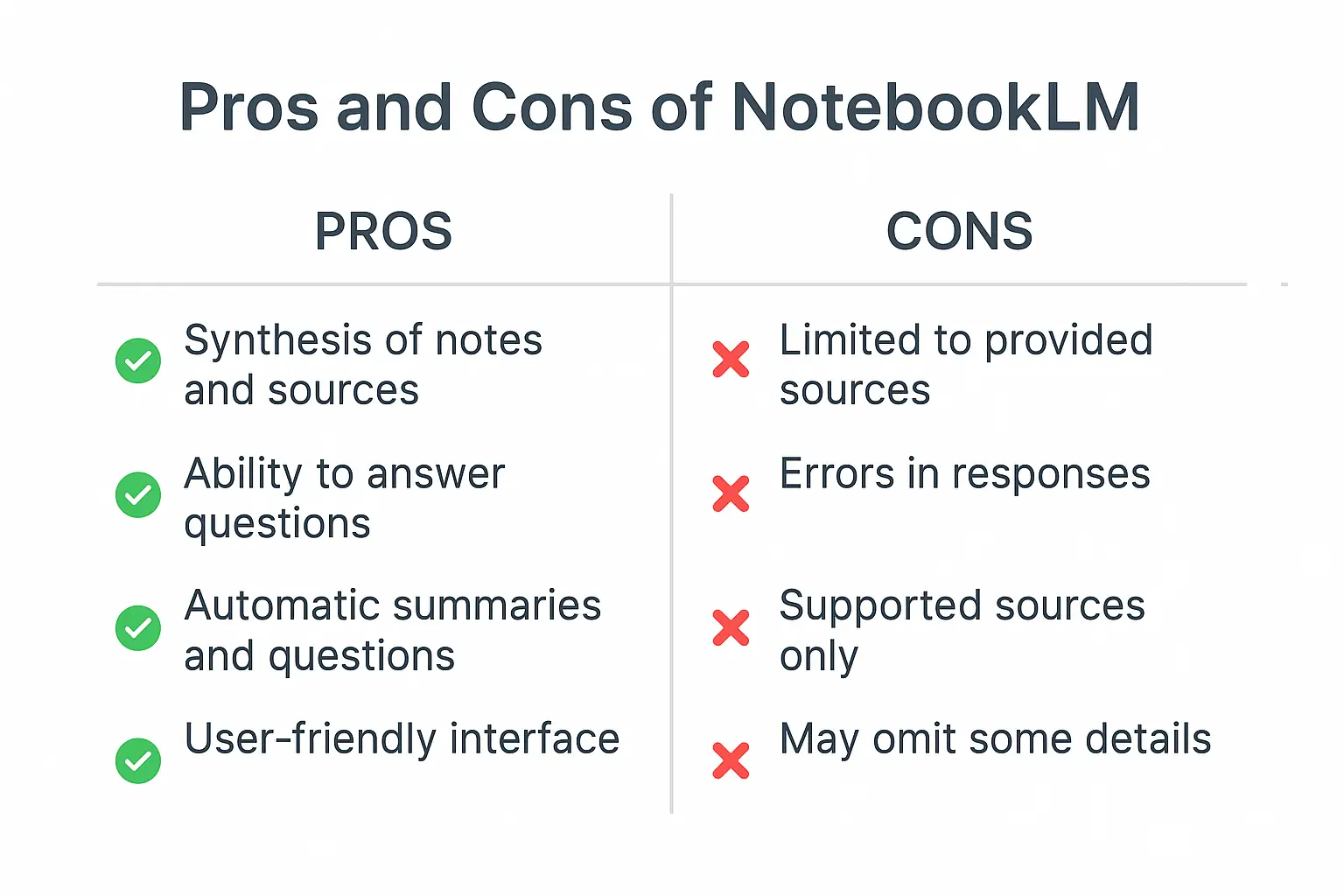
    Especially, since the AI’s contextual understanding is not perfect, researchers must verify outputs themselves.

    Pros and cons of using NotebookLM.
    Pros and cons of using NotebookLM.

    ---

    추천 대상: 누가 꼭 써야 하는가?

    Recommended Users: Who Should Use It?

    아래와 같은 분들에게 NotebookLM 사용을 적극 추천합니다.

    NotebookLM is highly recommended for the following users:

  • 연구자 및 대학원생: 방대한 논문과 자료 정리를 빠르게 해결하고 싶은 분
  • Researchers and graduate students who want to quickly organize vast papers and materials.
  • 데이터를 자주 다루는 직장인: 업무 생산성 향상을 원하는 실무자
  • Professionals working with data frequently aiming to boost productivity.
  • 정보 탐색 시간 단축을 원하는 모든 사람: 빠른 요약과 질문 답변으로 업무 효율화
  • Anyone looking to reduce time spent on information search by using fast summarization and Q&A.
  • 특히 AI 에이전트와 생산성 도구에 관심 있는 분이라면, 온톨로지 기반 AI 에이전트의 미래 글도 참고하면 더 넓은 통찰을 얻을 수 있습니다.

    Those interested in AI agents and productivity tools can also check my article on The Future of Ontology-Based AI Agents for broader insights.

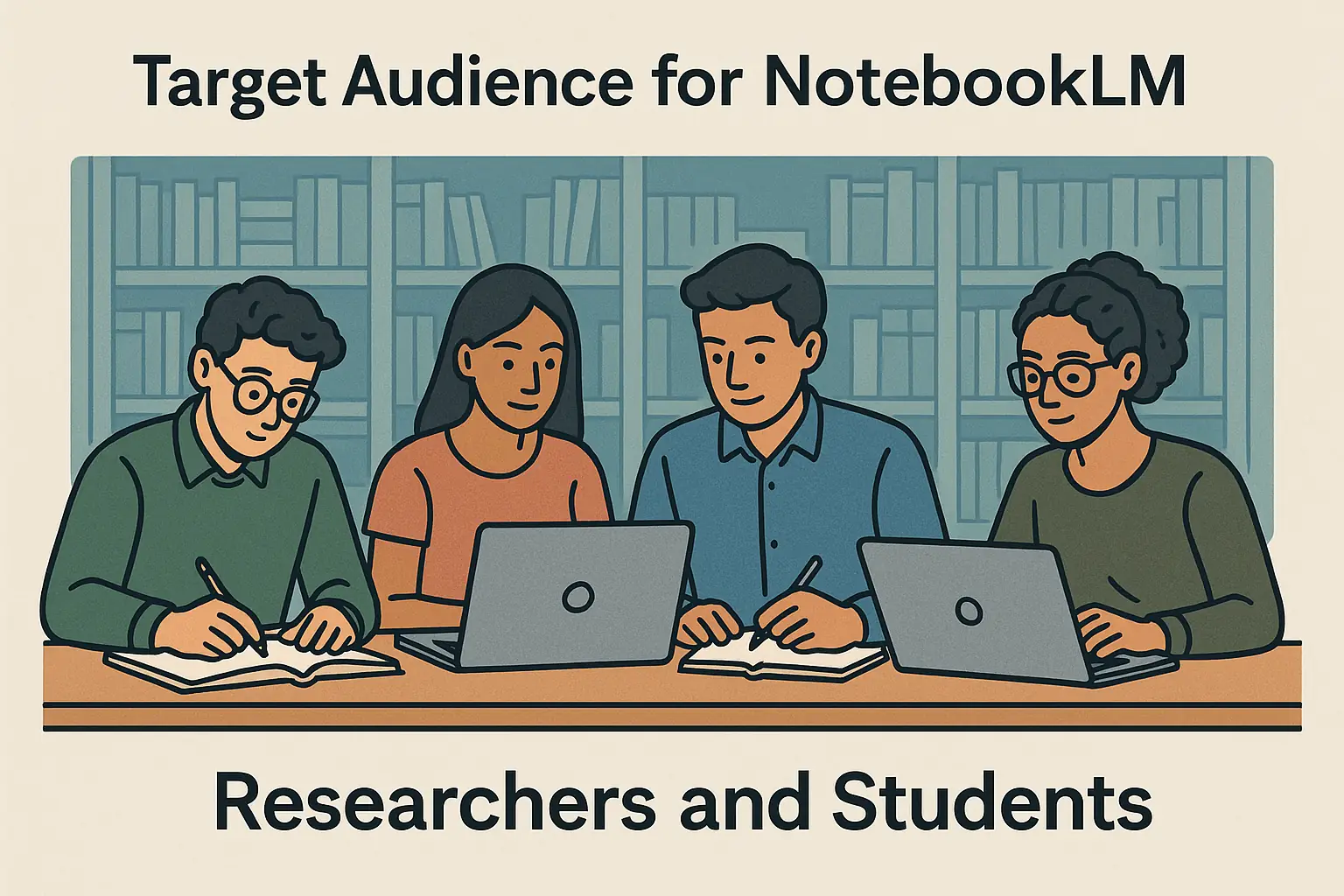
    Target audience for NotebookLM including researchers and students.
    Target audience for NotebookLM including researchers and students.

    ---

    마치며: NotebookLM으로 AI 자동화와 디지털 트랜스포메이션 시작하기

    Closing: Start AI Automation and Digital Transformation with NotebookLM

    NotebookLM은 현재 AI 트렌드 속에서 연구와 업무 생산성을 획기적으로 높이는 도구로 자리 잡고 있습니다.

    NotebookLM is emerging as a breakthrough tool to boost research and work productivity amid current AI trends.

    무료 베타 서비스인 만큼 부담 없이 먼저 경험해 보고, 자신의 업무 패턴에 맞게 활용법을 찾는 것이 중요합니다.

    Since it's a free beta service, it’s worth trying without hesitation and tailoring usage to your workflow.

    더 많은 AI 도구 실전 활용법이 궁금하다면, 2026년 AI 도구 가이드: 실전 활용법과 추천 리스트도 함께 참고해 보세요.

    If you want more practical AI tool guides, check my 2026 AI Tools Guide: Practical Usage and Recommended List.

    지금 바로 NotebookLM 공식 사이트에서 시작해 보세요.

    Start now at the official NotebookLM site.

    ---

    참고 링크 참조

    References

  • Google AI Blog - NotebookLM 소개
  • TechCrunch - NotebookLM 리뷰
  • GitHub - NotebookLM 관련 오픈소스
  • ---

    NotebookLM을 직접 사용해 보세요! 연구와 정보 탐색의 효율성을 크게 향상시킬 수 있습니다.

    Try NotebookLM yourself! It can greatly enhance your research and information retrieval efficiency.

    NotebookLM 리뷰: AI 연구 도우미로 생산성 높이기 | 보통리